EDMS Sign-Up Instructions
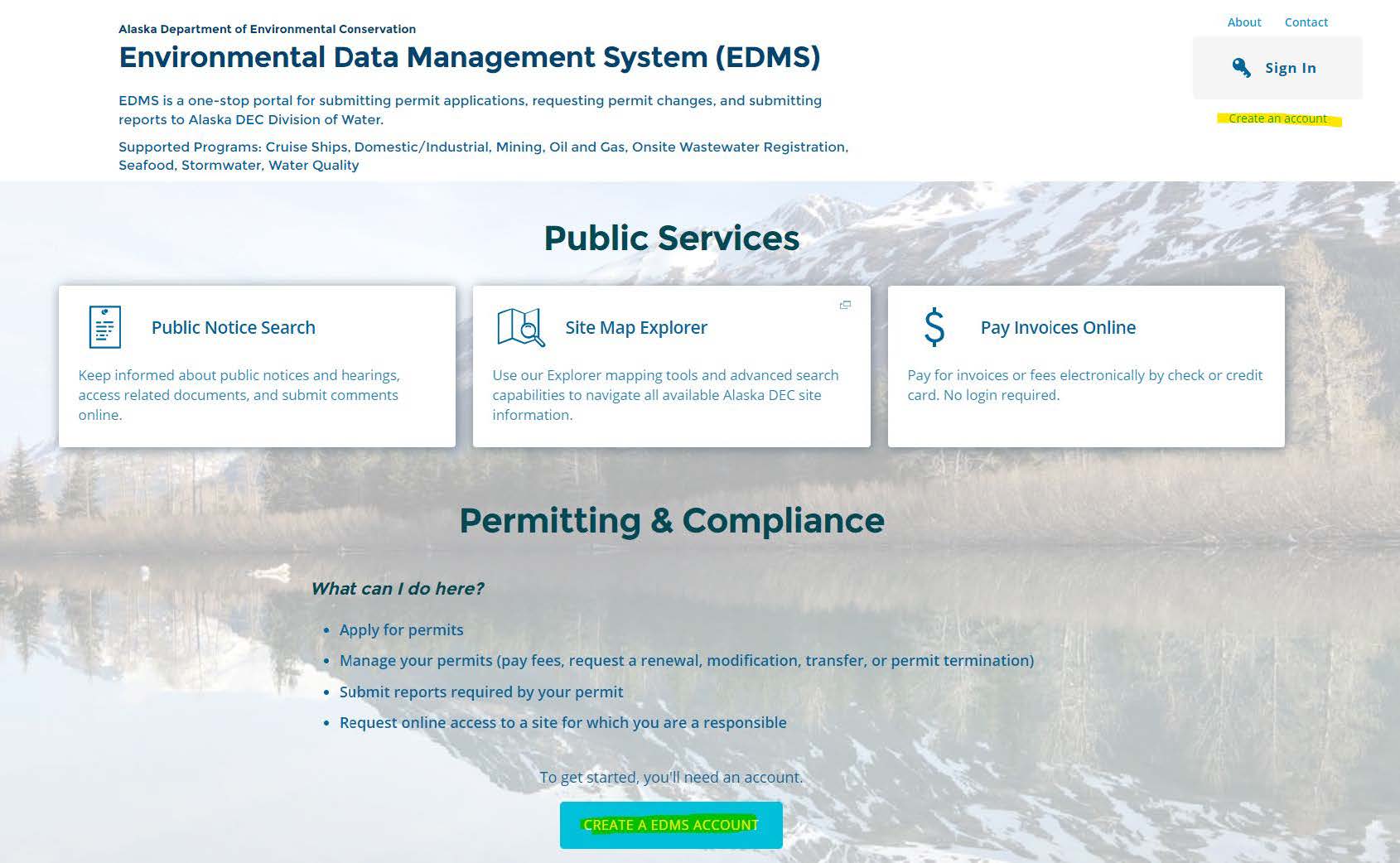
- Go to the EDMS Home website.
- Click on "Create an account".
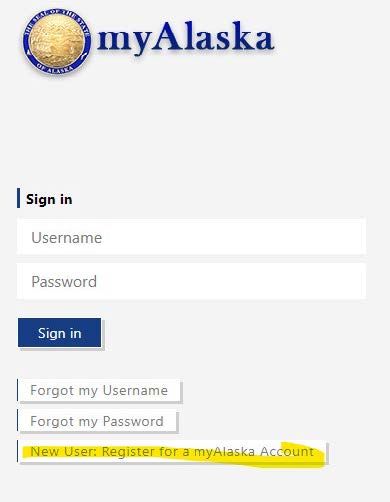
- Register for MyAlaska Account.
- Register for Account.
- Fill out the information on the above registration form.
- Check the "I accept the User Agreement".
- Click "Start Registration".
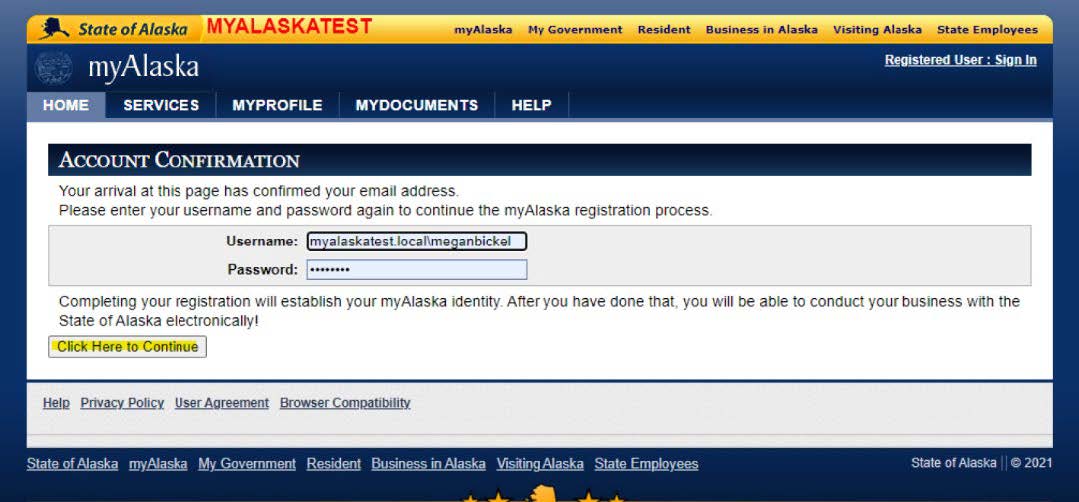
- Next an email will be sent from myAlaska with an email verification link.
- Click on "Click Here to Continue".
- You will be redirected back to the myAlaska site to use the same credentials to login.
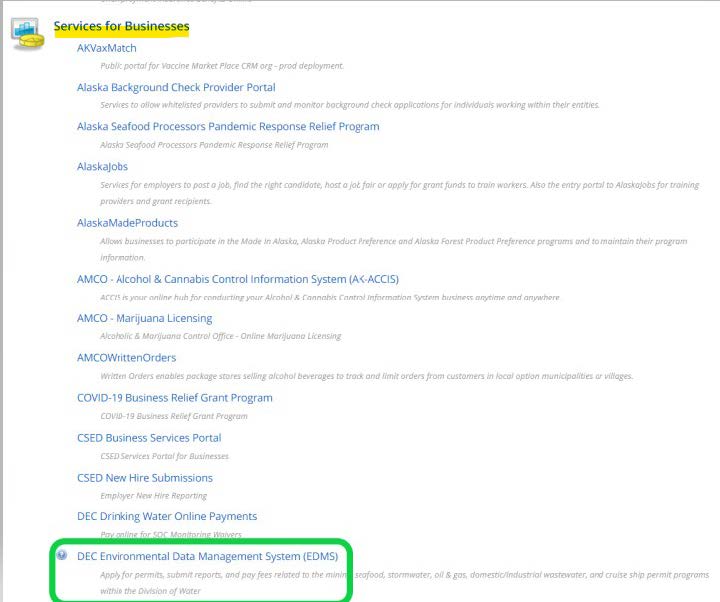
- Once logged into the myAlaska, click on "Services".
- Scroll down and click on "DEC Environmental Data Management System (EDMS)".
- Sign in to EDMS with the new, verified username and password.
- Fill out the EDMS security questions.
1. Go to the EDMS Home website.
2. Click on "Create an account".
3. Register for MyAlaska Account.
4. Register for Account.
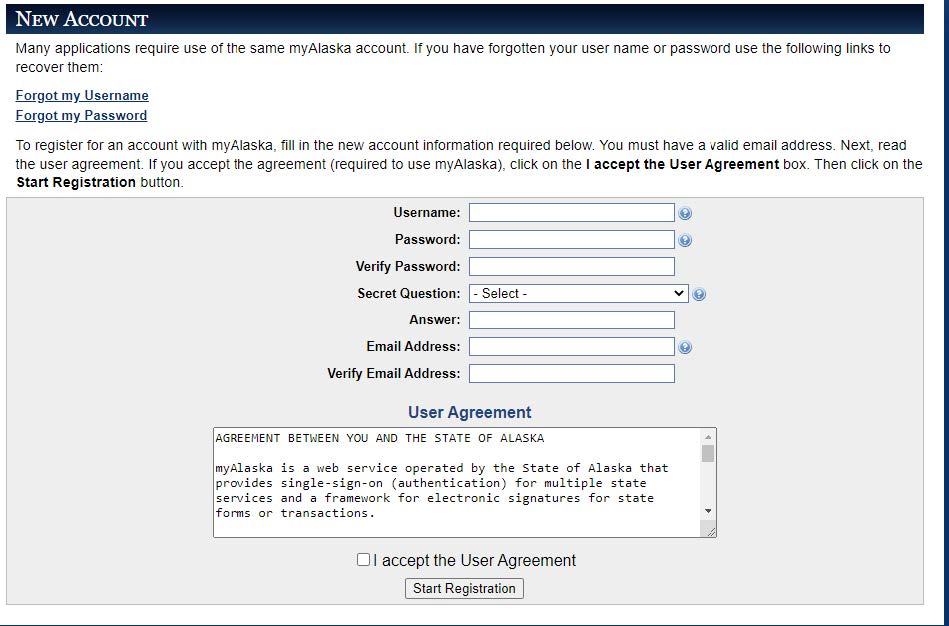
5. Fill out the information on the above registration form.
a. Check the "I accept the User Agreement".
b. Click "Start Registration".
6. Next an email will be sent from myAlaska with an email verification link.
That will lead back to myAlaska site, where you will sign in with the new credentials created.
a. Click on "Click Here to Continue".
 Indicates an external site.