
Facility ID and Sampling Point ID Search
Each PWS is made of of facilities, such as a source, treatment, and distribution system. Each of these facilities are assigned a specific identification number and are associated with one or more sampling points. Sampling points also have specific identification numbers. If the Facility ID and/or Sampling Point ID has not been included on the chain of custody, it can be located on a water system's Monitoring Summary, or through Drinking Water Viewer. This page provides guidance on where to find this required information.
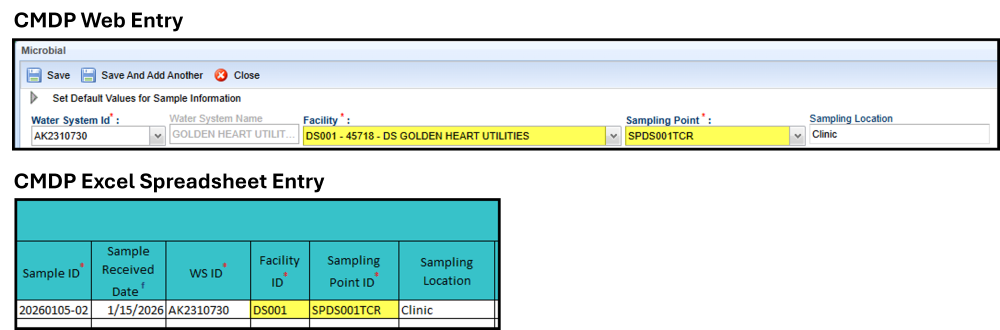
If you're unable to locate the needed Facility ID/Sample Point ID information or if this information isn't listed in CMDP correctly, please contact the DEC CMDP helpdesk (dec.cmdpsupport@alaska.gov) or the regional EPS for assistance.
Finding the Facility ID & Sample Point ID through the Monitoring Summary
Step 1: Visit Drinking Water Watch
Monitoring summaries are accessible through Drinking Water Watch.
Step 2: Search for Public Water System
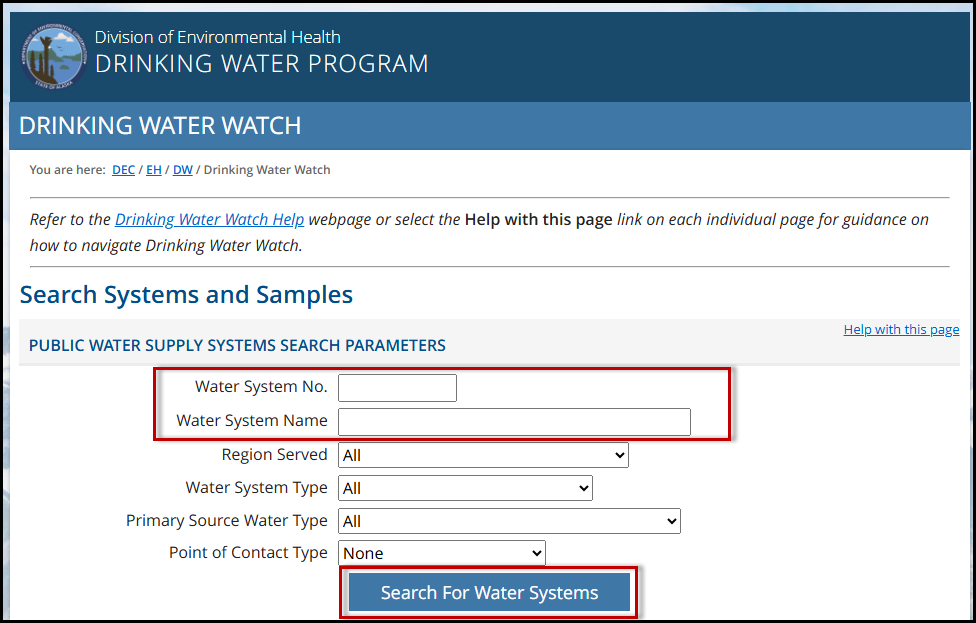
Search the water system number (PWSID) or water system name, then click Search for Water System. A list of results will load. Click on the system name to open the system information.
Step 3: Click Current Monitoring Summary Link
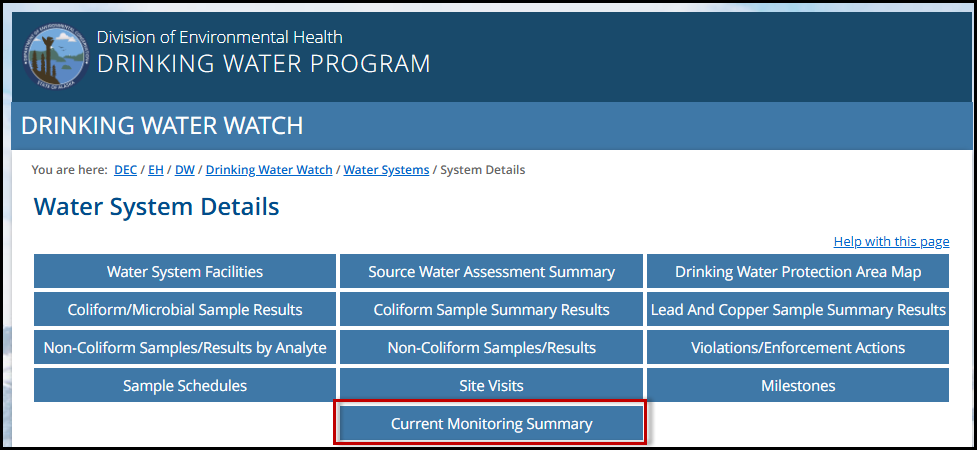
On this Water System Details page, click on Current Monitoring Summary. The system's most recent monitoring summary will be posted here. The date of the monitoring summary is located in the top right corner of the document.
Step 4: Review Facility and Sample Point Information
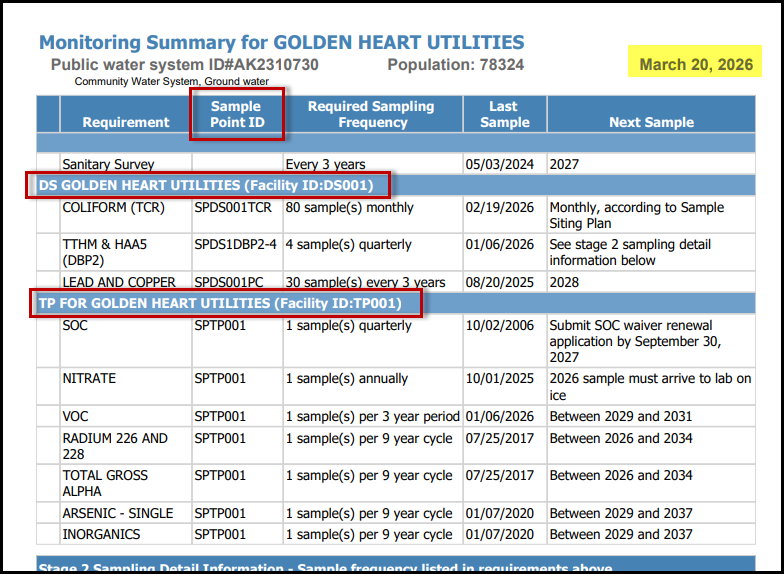
Look through the sample list to find the Facility and Sampling Point information. The list is sorted by water system facility. The Facility ID is located in the header row for each section. The Sampling Point ID is located in the Sample Point ID column next for each required sample.
Step 5: Add information to CMDP sample submission
Take the information listed from the Monitoring Summary to enter in CMDP with the sample result (through either excel or web entry).
- For example, if you were to submit a Total Coliform sample for the system shown in the photo above, you would choose DS001 as the Facility ID and SPDS001TCR as the Sampling Point ID.
Finding the Facility ID & Sample Point ID through Drinking Water Viewer
Step 1: Visit Drinking Water Viewer
Drinking Water Viewer provides public access to public water system information from the Drinking Water Program's database, including facility information and sampling points. It allows searches for individual water system information, or information on a wider group of water system on specific topics.
Step 2: Search for Public Water System
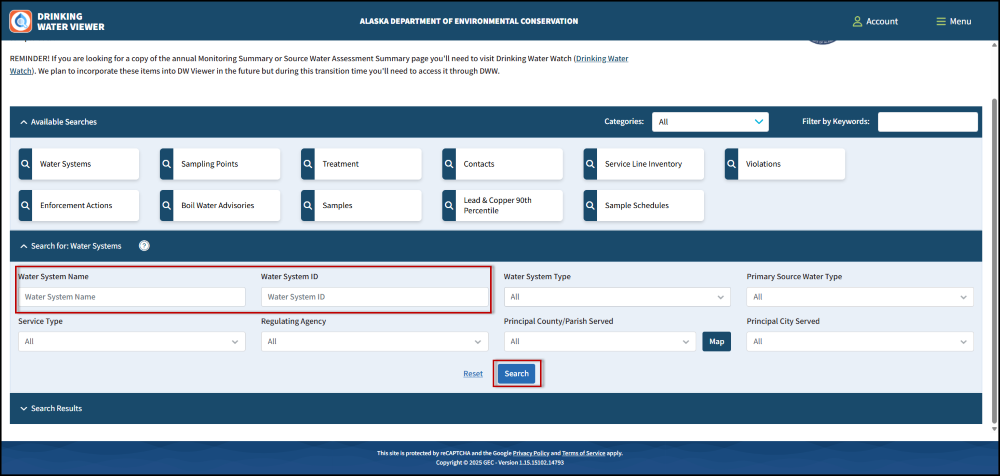
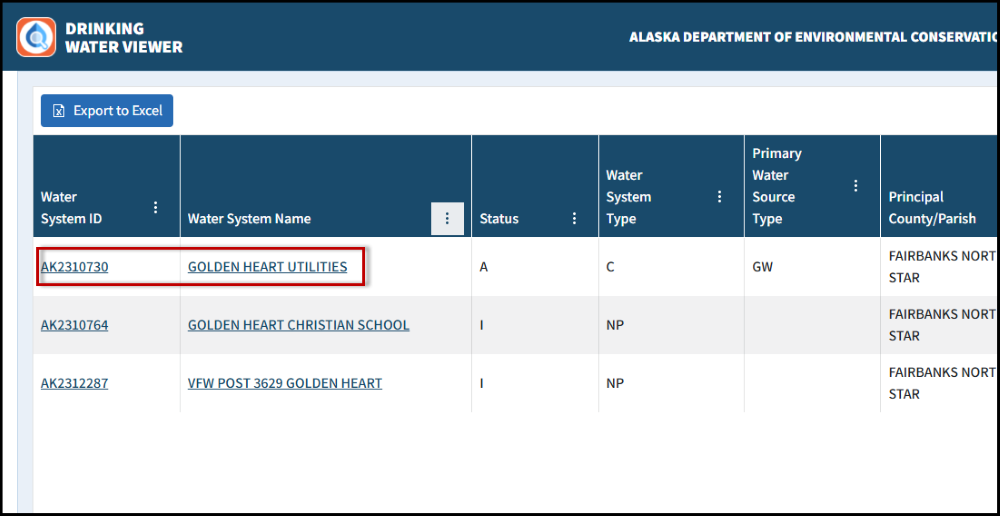
Drinking Water Viewer will open to the main search page, where you can search for a water system by Name or Water System ID (PWSID). Enter either one and click Search. Scroll down to see the search results, and then open the water system information by clicking on the name or PWSID.
Step 3: Click on Sampling Point
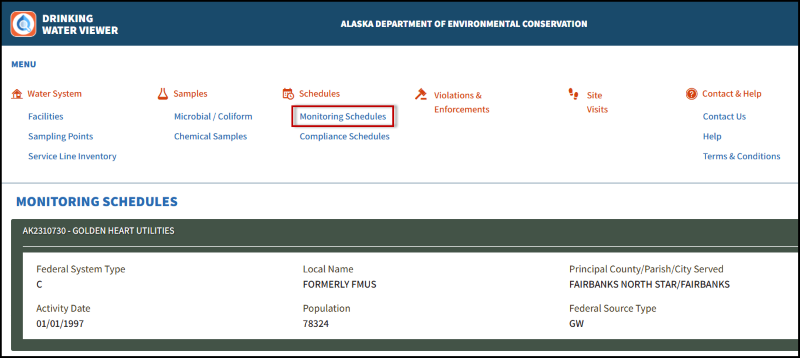
In the water system information page, click on Monitoring Schedules in the menu at the top.
Step 4: Review Facility and Sample Point Information
Scroll down to review the monitoring schedule information. This is broken up into two sections: Microbial and Chemical.
- Microbial Monitoring schedules will not have an associated sample point listed in this section. In most cases, the Total Coliform sample point will be SPDS001TCR. To verify this, click on Sampling Points in the menu at the top of the page and then scroll down to double check the sampling point ID listed for the distribution system.
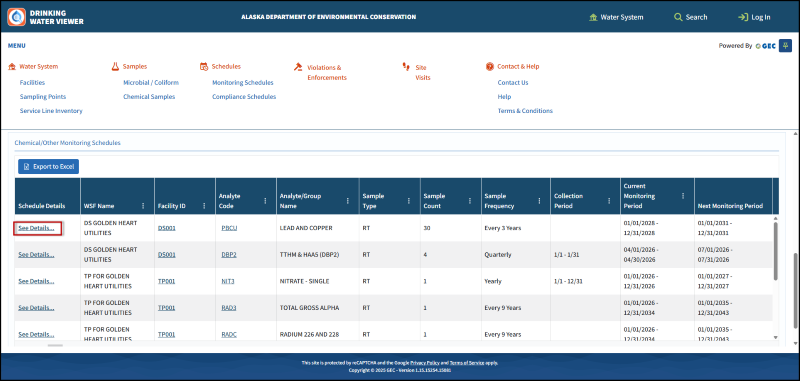
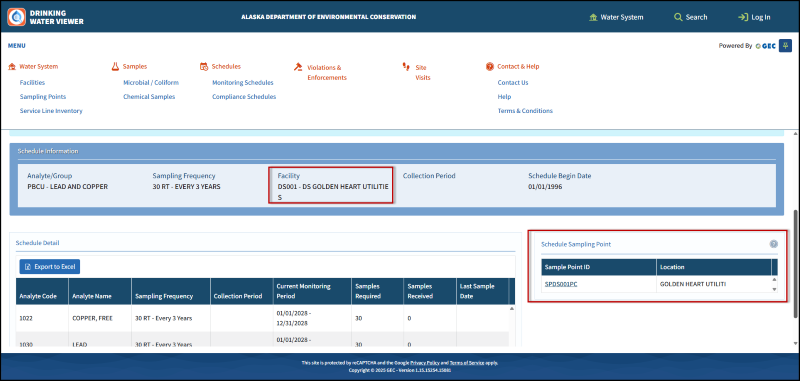
- Chemical/Other Monitoring - Use the Analyte/Group Name column to identify which schedule you are looking for, then click See Details in the first column. This will open the schedule details, which shows the Facility ID and the Sampling Point ID, as well as details about the required sampling.
Step 5: Add information to CMDP sample submission
Use the information listed on Drinking Water Viewer to enter in CMDP with the sample result (through either excel or web entry).
- For example, if you were to submit a Lead or Copper sample for the system shown in the photo above, you would choose DS001 as the Facility ID and SPDS001PC as the Sampling Point ID.
 Indicates an external site.